Business Process Automation Without a Separate BPA Tool: What DMI Does, and What's Still Missing
By Mark Davidson, CEO
Most small and mid-sized plants don't own a business process automation (BPA) platform, and many never will. They still want what BPA promises: when something goes wrong on the line, the right work order or quality investigation starts quickly, the right person approves it, and someone checks that the fix worked.
DMI now does that itself. Its BPA workflows take a DMI finding to an approved action, carry it out through tools you already have, and record whether it worked. This article covers how it works, what you set up, and what you still give up compared with a dedicated BPA deployment.
The loop you're trying to close
Every useful automation in a plant follows the same loop:
- Detect that something changed.
- Investigate why it changed.
- Decide what to do and what it's worth.
- Act: get the work to the people who do it.
- Verify that the action worked.
Typical BPA tools are strong at step 4 and weak at steps 1 to 3. They act on a threshold someone set years ago and don't know why the value moved. DMI covers all five steps, and puts a person's approval between deciding and acting.
What DMI does for you
- Detect without crying wolf. DMI's alerts rerun its statistical process control scan on a schedule, so they fire on special-cause changes rather than on every wiggle. That matters for automation: a workflow triggered by noise creates work orders nobody needs.
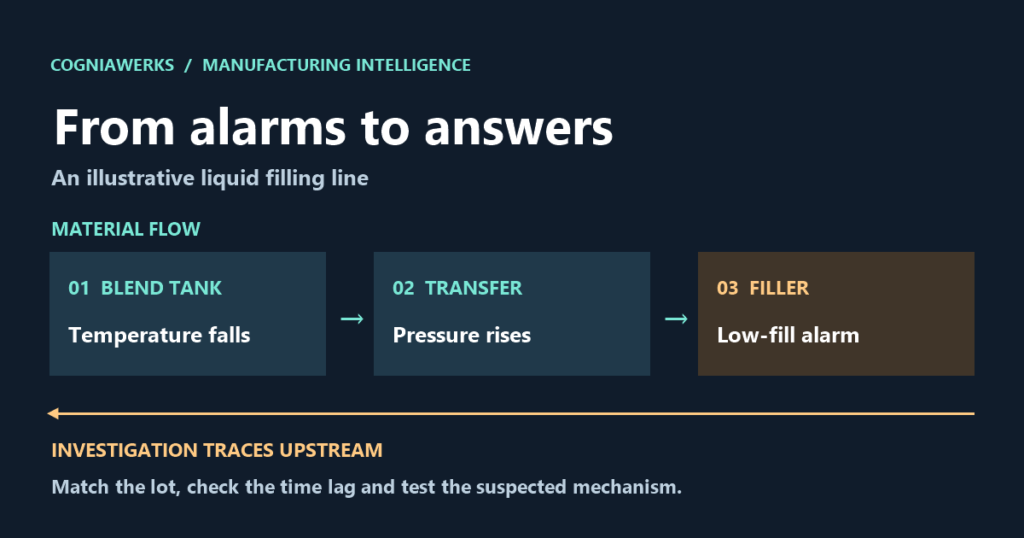
- Investigate to a cause. Root-cause analysis walks the process graph upstream to find which signals moved first, and correlates them with batches, shifts, maintenance and quality context.
- Recommend an action, with the reason. Recommendations come with the evidence behind them and the relevant SOP or manual passage.
- Raise and approve the action. Every role can raise a workflow, and Start BPA on an alarm or a recommendation fills in the finding. Approval follows the action: reliability approves maintenance requests, quality approves quality investigations, the supervisor approves production and material changes, and the plant leader can approve anything. Whoever raised the workflow can't approve it.
- Carry it out three ways. A Local workflow becomes a DMI work order that is assigned, started and marked done, with a log of every step. A Microsoft Teams workflow posts a card with the action, priority, location and work order to a channel, a DMI work order tracks it, and a second card goes up when it's done. A Power Automate workflow starts a flow that can create a Planner task, a SharePoint item or a ticket, and records the ID the flow sends back.
- Verify, and put a dollar figure on it. After the work is done, the result is recorded on the workflow. Linked to a Savings register row, the workflow fills in the system, the reference, the approver, the execution time and the measured result, so the saving is fully evidenced.
- Keep the trail. Every step is written to a tamper-evident, hash-chained audit log.
Setting it up
- Pick one loop. For example: special-cause event on a filler → maintenance work order. One loop that runs every week teaches you more than ten that are only on a diagram.
- Start with Local. DMI work orders need no setup: approve, assign, mark done, verify.
- Add Teams if the crew lives there. In the channel, add the Workflows option Post to a channel when a webhook request is received, paste its URL under Configuration → Workflow integrations, and press Test.
- Add Power Automate to reach other tools. Build a flow that starts with When an HTTP request is received, creates the item you want, and returns its ID. Paste the flow URL, set the reply field, try a dry run, then Test. The URLs are stored on the DMI host and never shown again.
- Link the savings. Record the saving with a signed baseline and link the workflow, so the result counts.
DMI decides what's worth doing, a person approves it, your team does it through DMI, Teams or a flow, and DMI records whether it worked.
What's still missing compared with a full BPA platform
DMI's workflows cover the plant loop, not everything a dedicated BPA platform does. To be straight about the gaps:
- Native business-system connectors. DMI doesn't write directly into MES, ERP, CMMS or QMS yet. Those connectors are future integrations. Today, Power Automate is the bridge: a flow can create the work order in your system if it has a connector for it.
- Multi-step workflows. A DMI workflow is one action with a fixed lifecycle: raise, approve, act, verify. BPA platforms model branching processes with timers, escalations, SLAs and versioned definitions.
- Automatic triggers. A person starts every workflow with Start BPA. No rule raises one on its own.
- Status back from the flow. DMI records the reference a Power Automate flow returns, but doesn't follow that item to completion. The result is recorded when the team verifies.
- Automatic retries. A failed Teams post or flow call is marked failed and a person retries it. There's no automatic back-off or dead-letter queue.
- Approval requests outside DMI. Teams gets the approved action, not the request. Pending approvals wait on the BPA workflows tab with a badge.
- Assistant and agent access. DMI's MCP tools stay read-only, so AI assistants can investigate but can't raise or approve workflows.
- One audit trail across systems. DMI's audit log covers its side of the loop. Teams, the flow and the systems it touches keep their own.
- Event-log process mining. Process-mining suites reconstruct order-to-cash or purchase-to-pay from ERP event logs. DMI maps the physical manufacturing process from plant data, which is a different and complementary picture.
What a typical BPA deployment is missing
The gap runs the other way too. A BPA platform on its own usually lacks:
- A reason for the trigger. Thresholds don't separate a real process change from normal variation, so the automation either fires too often or gets switched off.
- Root cause. The workflow knows the filler slowed down. It doesn't know that a temperature variation upstream caused it.
- The value of the action. Few BPA deployments can say what a given work order was worth, or whether it worked.
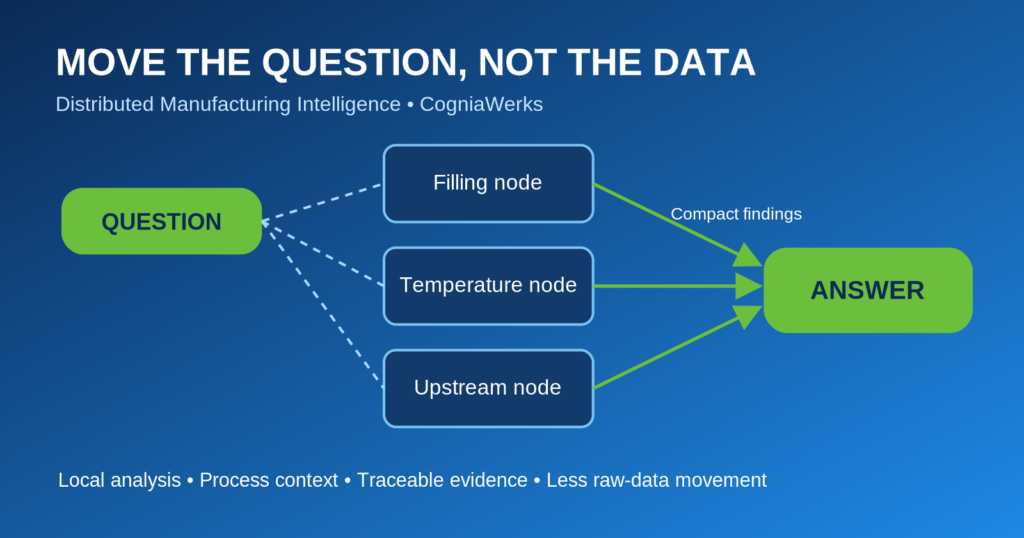
- Plant-local operation. Many BPA platforms are cloud-first. DMI's analysis and its work orders run inside the plant.
If you already own a BPA platform
Use both. If it's Power Automate, DMI already talks to it. For other platforms, give them an HTTP trigger and point DMI's Power Automate integration at it, or keep using DMI work orders for the plant loop. DMI supplies the detection, the root cause, the approval and the proof, and your platform runs the multi-step process and its connectors.
See DMI on your process
Book a tailored walkthrough with our team.